Dear Clients,
Welcome to our step-by-step guide on how to reset your MotorTrade password. As part of our ongoing efforts to enhance security, we have recently updated our password reset process. Starting now, your MotorTrade password will need to be changed every 90 days. This guide will guide you through the new procedure, ensuring that you can easily and securely regain access to your account
If you have any questions or need assistance, please contact your Key Account Manager (KAM).
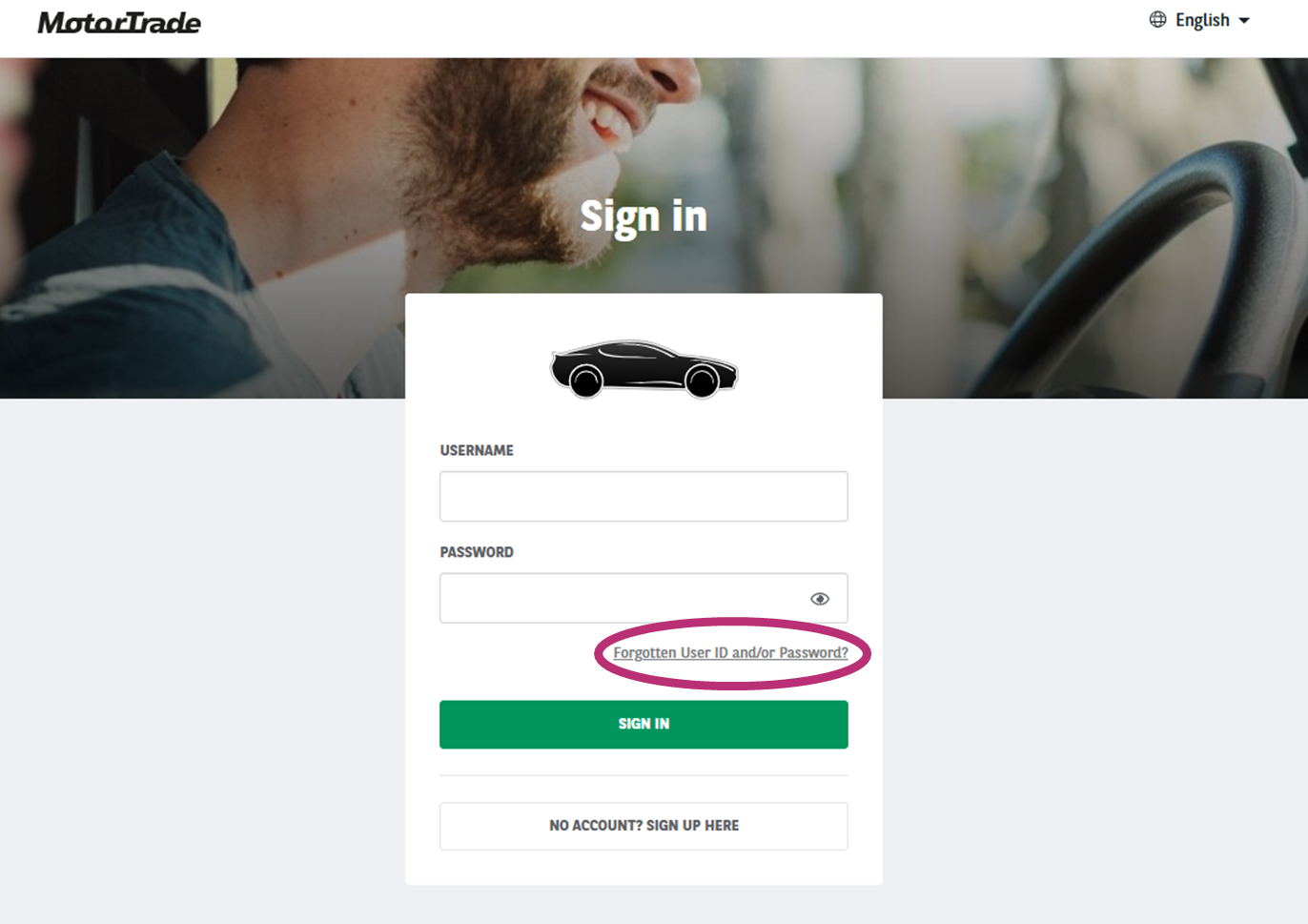
STEP 1/5 : GO TO MOTORTRADE
Go to MotorTrade and click on "Forgotten User ID and/or Password?"
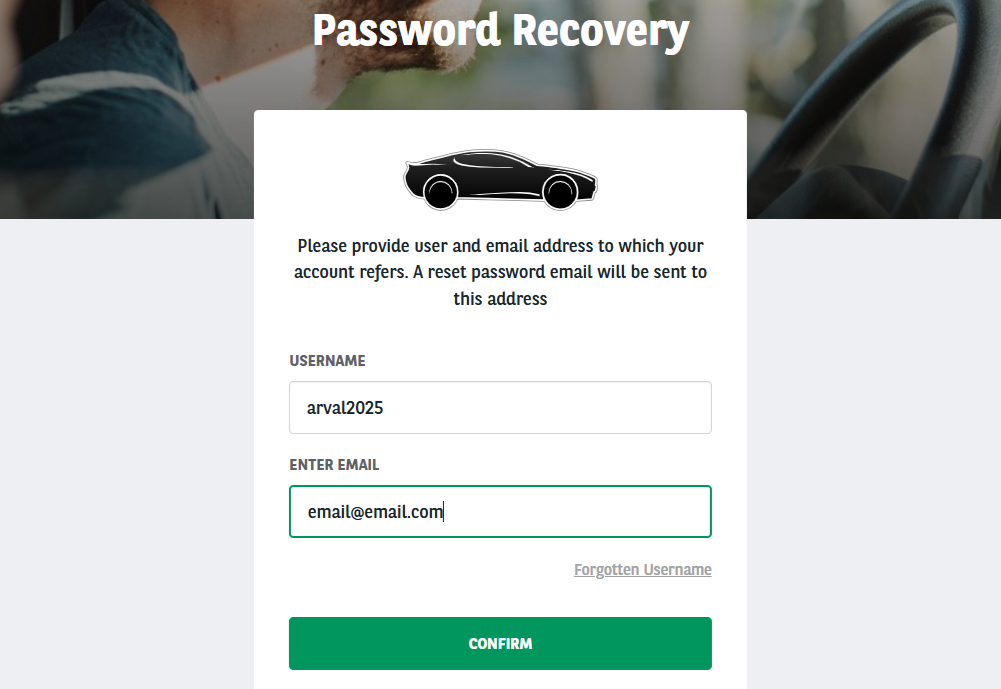
STEP 2/5 : ENTER YOUR INFORMATION
Enter the username and the email associated with the account for which you want to reset the password.
⚠️Please pay attention to the following :
🟢If you have different users, make sure you enter the username linked to this email.
🟢If you have multiple MotorTrade accounts (Local entity, Arval Trading) ensure you enter the information for the correct account.
If you have any doubt, contact your KAM.
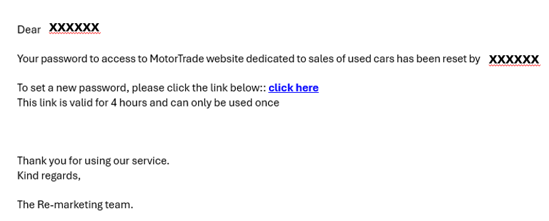
STEP 3/5 : CHECK YOUR MAILBOX
You will receive an email within a few minutes containing a link to reset your password.
⚠️ Please check your spam folder. This link is valid for 4 hours and can only be used once.
In case you have not received the email, verify that you entered the correct information (see above).
If yes, contact your KAM.
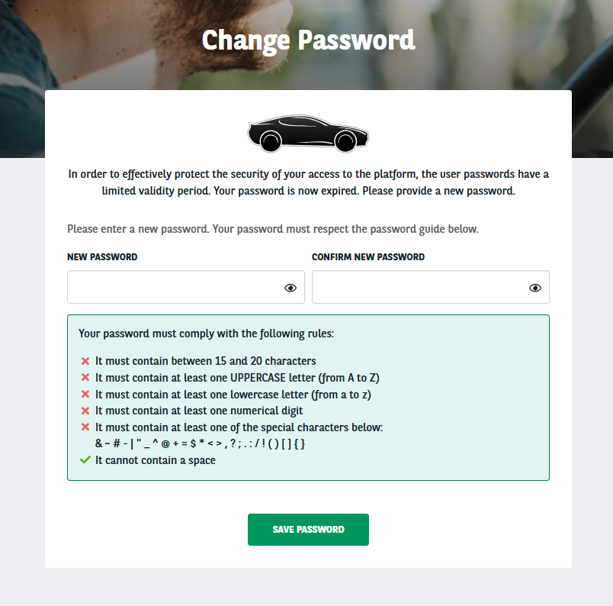
STEP 4/5 : SET UP A NEW PASSWORD
To set up a new password, click the link provided in the email, then follow the instructions displayed.
STEP 5/5 : CONNECT TO MOTORTRADE
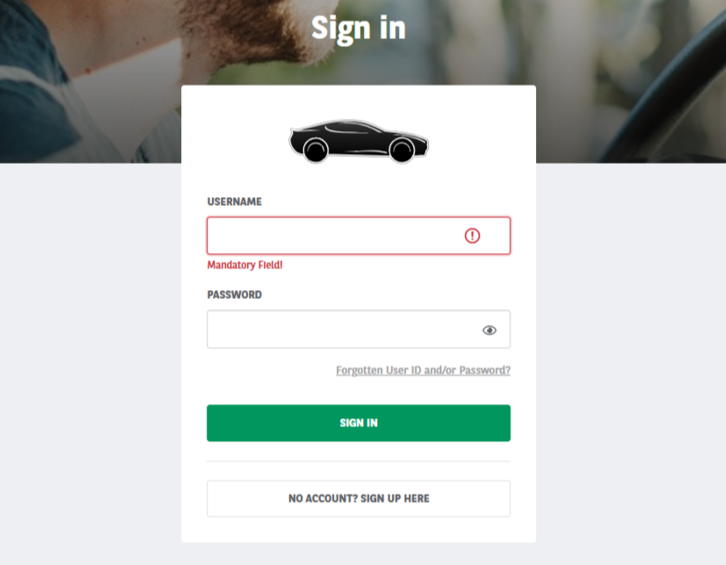
Log in using your username and your newly created password.
Please clear all cookies to avoid any issues, especially if you saved the expired password.
We help you to develop your business by offering a large range of services in order to let you focus on your purchase and sales.
Best regards,
Arval Trading Team